
Leaderboard



Popular Content
Showing content with the highest reputation since 12/08/2025 in all areas
-
jammer om te horen dat de beste website voor deze community tot zijn eindpunt is gekomen . ik heb zeer genoten van alle content, reskins, routes, creativiteit van iedereen. het lezen van vele informatieve en soms ook grappige reviews die mij met destijds op weg hebben geholpen toen ik in 2013 op treinpunt stuitte. deze site is extra bijzonder omdat het als een aanvulling voelt die DTG nooit heeft waargemaakt voor nederlandse en andere Europese community content betreft TSC addons .de routes, reskins, soundmods en de shop allemaal op 1 plek. gewoon super handig voor van alles. zelfs de jaarlijkse screenshot wedstrijd was een leuk event om aan deel te nemen. mijn complimenten gaan naar de eigenaar wat deze website heeft mogenlijk gemaakt al die jaren. vergeet niet hoeveel mensen jij bij elkaar hebt gebracht en wat voor prachtige plek je mogenlijk hebt gemaakt. dankjewel ;D5 points
-
Ondanks alle leed over het sluiten enz. allen nog prettige Kerstdagen, een goede jaarwisseling en voorspoedig 2026!4 points
-
Goedendag allemaal, Er is een opvolger bekend: https://simtopia.nl/ Daarin kan zeker weer lekker gekletst worden. Het download gedeelte komt later deze maand beschikbaar. We konden niet met Simtogether verder, want de huidige eigenaar stopt ermee. Daarom een opvolger. Dus kom gezellig die kant op. De gezelligheid zal er niet minder om worden.2 points
-
Een dikke doei aan iedereen die aan de afgelopen jaren mijn profiel heeft bezocht. Met 48273 profielweergaven op het moment van schrijven ben ik best wel vereerd. Het allerbeste voor het nieuwe jaar en de jaren die daarna komen. Het leven is zeer kort, wees lief voor elkaar en vooral voor jezelf! Vanuit het Haagse: De Mazzel!2 points
-
@betoben28 using google translate is fine.2 points
-
@Alola Klopt, had ik hierboven ook gepost, vandaar de reactie erop.2 points
-
Dag kindertjes, de tijd is om Nu moet ik werkelijk gaan En spoedig kom ik heus weer om Maar nu is het gedaan Dag Sjefke, dag zwerversman Blijf er niet te lang weg Als je maar even, even kan Kom dan weer bij ons zeg Ja kindertjes, uit is de pret Ik ga er weer vandoor Vanavond allemaal zoet naar bed En nu tot weerziens hoor
 1 point
 -
Dat kon niet. Etienne gaf geen antwoord als je overname wilde bespreken. Waarschijnlijk omdat hij al met SimTopia bezig was, maar dat geheim moest blijven. Yes, but don't pretend like this could not have been avoided. This is happening because the admin wants it to happen, and not for any other reason. Emotionele chantage. Nice... En het antwoord is "ja", dat zie je toch?1 point
-
The thing is: most users do not understand Spanish (like me for example) so it would be nice if users from foreign countries could post in English, so we can all understand each other better, instead of guessing what someone who is posting in another language means (no offense meant off course).1 point
-
lo la mentó no se inglés ni fui a una escuela a aprende inglés y gracias al traductor de Google que traduce automáticamente la español los sitios web así puedo lee y ya dije que soy argentino y discapacitado de nacimiento y con esta herramienta de traducción y ya muchos me an respondido y en el menzage les mande una copa de gracia y no todos nacemos en cunas de oro y mis padres me dieron la educación básica o acaso por no saber inglés me concederás un burro con respeto te lo digo. I'm sorry, I don't know English, nor did I go to a school to learn it, and thanks to Google Translate, which automatically translates Spanish websites, I can read them. I said I'm Argentinian and disabled from birth, and with this translation tool, many people have already responded, and in the message, I sent them a thank you. And not everyone is born with a silver spoon in their mouth, and my parents gave me a basic education. Or are you going to give me a donkey just because I don't know English? I say this with respect.1 point
-
Version 2.1
7,521 downloads
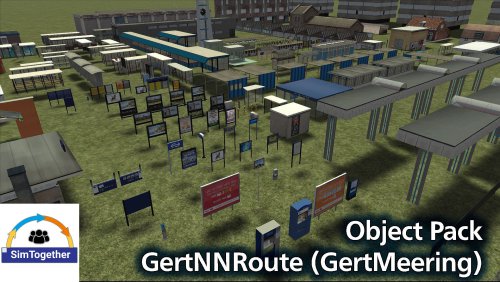
This is a composite package of Dutch objects made by GertNNRoute (GertMeering)! (Inclusief old DS NL assets pack) DOWNLOAD HIER Characteristics: Easy to install Installation: Open the .exe file to install start the game and go to "settings\Tools\Clear Cache" Restart the game and have fun Note: This add-on is made available as freeware. Under no circumstances is it permitted to distribute or make available for distribution in any form whatsoever the package and/or parts of its contents without the permission of the maker. Changelog: This contains old objects NL but also new NL objects, so this is the renewed NL package.1 point -
![More information about "[2022 - NS Int, DB Fern, SBB] NJ 403 / IC 60403 Amsterdam Centraal - Zürich HB Deel 3"](https://simtogether.com/uploads/monthly_2022_03/754132407_Screenshot_FrankfurtKoblenz_50.05330-8.57225_02-02-14.thumb.jpg.481415170018228b6173fef8b9194939.jpg)
Version 1.0.0
169 downloads
Since December 2021, a 2nd Nightjet has been operating from the Netherlands towards the East. Nightjet 403 from Amsterdam Central to Zurich HB is the new connection Despite the fact that the OBB is the operator of the Nightjet network, NS International, together with DB Fernverkehr and the SBB, is responsible for the train. Nightjet 403 consists of only 5 carriages, 3 Couchettes lying carriages and 2 WLABm Sleeping carriages. Nightjet 403 will travel in combination with the Night IC 60403. In addition to the 5 Nightjet cars, 1 first class and 3 2nd class IC cars from the SBB and 4 second class IC cars from the DB are driving along. The scenario consists of 10 parts on different routes. In this first part we start on the HSL Rotterdam - Amsterdam route. Today you drive the Nightjet 403 all the way from Amsterdam Central to Frankfurt am Main Hbf where the train makes a head and DB Fenverkehr will take over the train to Basel SBB. In this 3rd part you depart from Arnhem Central in the direction of Emmerich. The scenario will end just before Zevenaar for a stop signal. Part 4 continues on The Betuwe Route This is a realistic scenario. The player train and all AI Passenger trains will run according to the real 2022 timetable, which will take effect as of December 2021.1 point -
sorry hoor maar wat maakt jou dat nou uit en heb jij geen google translate.. deze site is zover ik weet nederlands en engels. Als je het zo'n probleem vind waarom heb je het zelf niet overgenomen dan.. kost maar +/- € 2500- per jaar..1 point
-
simulator classic y les digas de SimTogether y después lo busque en la web y no la encuentre te pregunte que paso ? y las cosas cambian abecés para vien y otras para mal y ay es cuando al mente ace cray y dices cometí un error y una sierre SimTogether todo se pierde para siempre en el vacío y es irrecuperable y poreso estoy en contra de su y el daño que va a causar a las generaciones futuras. un saludo a la distancia y una buena navidad y un prospero año nuevo -vertaling- Bedankt voor je bericht, ik vond het erg goed, maar er is altijd een "maar". Wat gebeurt er als een zoon, dochter of kleinkind vraagt wat het was en waar je het trainingsmateriaal voor Simulator Classic vandaan hebt gehaald, en je vertelt ze over SimTogether, en ze het vervolgens online zoeken en niet kunnen vinden, en je vragen wat er is gebeurd? Dingen veranderen, soms ten goede en soms ten kwade. En dan word je gek en denk je: "Ik heb een fout gemaakt." En als SimTogether eenmaal is stopgezet, is alles voorgoed verloren en onherstelbaar, en daarom ben ik ertegen en vanwege de schade die het toekomstige generaties zal berokkenen. Hartelijke groeten van ver, en een vrolijk kerstfeest en een gelukkig nieuwjaar!1 point
-
Version 1.0.0
3,844 downloads
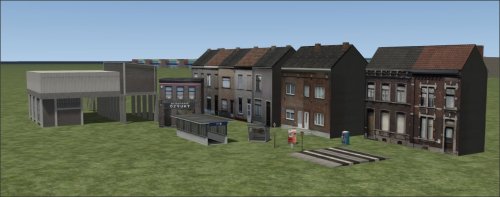
This is a composite package of Belgium objects made by GertNNRoute (GertMeering)! DOWNLOAD HIER Features: Easy to install Installation: Install the RWP start the game en go to "settings\Tools\Clear Cache" Restart the game and have fun1 point -
@Gerwil je bent nu van mij verlost.1 point
-
Version 2.01
4,115 downloads
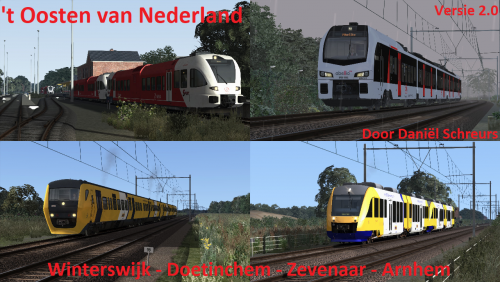
This newest version of the route The east of the Netherlands, offers you the possibility to drive 90 realistically modeled kilometers between Winterswijk and Arnhem CS. services and more. Before driving this route, please consult the included manual. Features: 90 kilometers long 14 Stations Manual in English, Dutch and Deutsch New download links in the "Requirements" tab Installation: Install the included .rwp file with "Utilities.exe" "Clear Cache" or use Train Simulator Blueprint removal tool"1 point -
![More information about "[DEC] BR186 NS TRAXX Soundmod"](https://simtogether.com/uploads/monthly_2022_05/20210712141701_1.thumb.jpg.9758a2208c5afdab569cb8c89a32e20b.jpg)
Version 2.0
1,578 downloads
Enjoy the TRAXX loco with better sounds! Bogie sounds, Traction sounds reworked. Install the RWP with the Utilities tool. Video:1 point -
![More information about "[Alola] Intercity Schiphol-Heerlen deel 3 (2011/2012)"](https://simtogether.com/uploads/monthly_2024_12/20241219212638_1.thumb.jpg.6eb46514ff2a407b1d9f74f9d14d5951.jpg)
Version 1.0.0
136 downloads
This is part 3 of a series of scenarios about the Intercity from Schiphol Airport to Maastricht/Heerlen on the 31st of December 2011, during timetable 2012. In this scenario you drive from Utrecht Central station to Eindhoven Central station, where a colleague takes over from you. Note: This scenario is fully in Dutch!1 point -
![More information about "[DEC] NS ICR(m) Pack"](https://simtogether.com/uploads/monthly_2022_09/24010_20220912193456_1.thumb.png.1daca23818bffa1e5dc290b95bd5e83e.png)
Version 1.1.2
2,129 downloads
The ICR was the main Intercity coaches of the NS back in the day. For that reason we must have them in TS! Dirt and clean! I also made some special version we didn’t have yet. If you have the CT ICM(m) 4.0 update, you will need to instal the patch. replace all the files!1 point -
![More information about "[DEC] 6400 (+mini G1206) Soundmod"](https://simtogether.com/uploads/monthly_2022_11/20210419214612_1.thumb.jpg.08b327381ebe1c9bc8d2f0c8cd1d5d80.jpg)
Version 1.0
480 downloads
The NS 6400 is a series of diesel-electric locomotives of the MaK DE 6400 type built by Maschinenbau Kiel (MaK), later known as Vossloh, for the Dutch Railways (NS) for freight transport. After the split-up of NS in 1995, all 6400s were transferred to NS Cargo (now: DB Cargo). The locomotives are known in Germany as "Baureihe 264".1 point -
Version 1.0
2,654 downloads
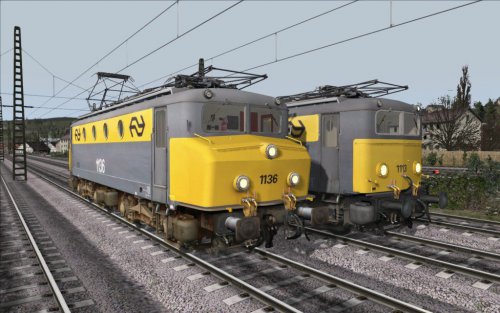
Two NS serie 1100 by Quinzeedied. Features: 2 versions NS 1113, yellow gray without collision nose, with original inverted L-signal NS 1136, yellow gray with collision nose Both locomotives have their own 3d cabview with animated controls collision update for the 1113 Manual in Dutch Installation: Install the included .rwp file with Utilities.exe "Steam\SteamApps\common\ RailWorks" Install NS1113_colllisionupdate.zip start the game and "Clear Cache" Restart the game and have fun1 point -
Version 1.0.0
559 downloads
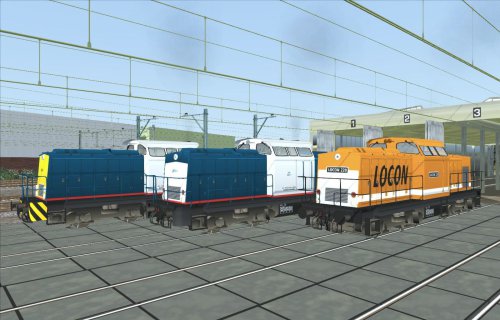
The BR 203 Dieselhydraulische Locomotief (Ex-DR Baureihe V100) by Wilbur Graphics consists of the following locomotives: • Volker Rail 203-1 ‘Tom’ • Volker Rail 203-5 ‘Tyke’ • Locon 220 • DR BR 110 In addition, this pack also contains associated wagons: • Sgns7 • Slps • DB Cargo Fals 167 More information in the attached user manual (Dutch only).1 point -
![More information about "[Pjottr] SPR 4447 naar Eindhoven Centraal"](https://simtogether.com/uploads/monthly_2022_08/24010_20220812234505_1.thumb.png.16b8ecef5f076e90d63ee57d640f22ca.png)
Version 1.0.1
407 downloads
You will take train 4447 from 's-Hertogenbosch to Eindhoven Centraal, calling at all stations. It's a beautiful day, enjoy!1 point -
Version 1.0.0
624 downloads
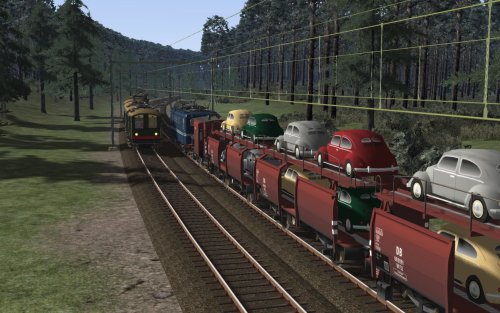
With this release, a small 40 freight cars from the years between about 1930 and 1960 will appear on the TS2015 routes. This mainly concerns (variants of) NS types CHD, CHPW, GTMK, HHW, LW, S-CHO and S-CHR. In addition, you will find the SSlmas53 and 2- and 4-axle private tank wagons. Also the conductor car Dg is not missing. Finally, a DRG Kassel and a NMBS closed freight car were also packed. Sound effects and links are also from Wilbur Graphics. More information in the attached user manual (Dutch only).1 point -
Version 1.0.0
144 downloads
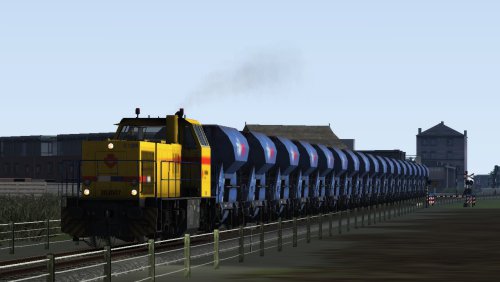
Doetinchem-Arnhem with a strukton train1 point -
![More information about "[SP] SPR 7655 Wijchen to Zutphen"](https://simtogether.com/uploads/monthly_2020_10/thumbnail.thumb.png.3554a2caff1779e37097b2c72b7fac5a.png)
Version 1.0.0
423 downloads
You will drive SPR 7655 from Wijchen all the way to Zutphen operated by a NS FLIRT-3 trainset. Enroute you will encounter both cargo trains and realistic scheduled passenger trains. Quickstart SP SPR 7655 Wijchen to Zutphen.pdf1 point -
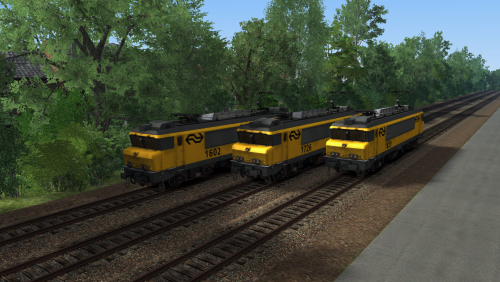
Version 1.0.0
616 downloads
The NS 1600/1800 and 1700 with the cab, sounds and scripts of the Simexpress BB7200. Known issues: The pantograph is slow1 point -
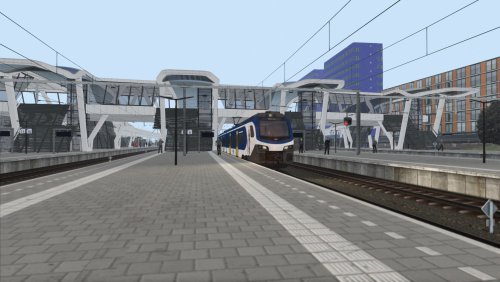
Version 1.0.0
181 downloads
this scenario is based on the storm day eunice when there were no trains running1 point -
![More information about "[Leon_Trains] Rhenen - Utrecht CS Extra Sprinter Dienst"](https://simtogether.com/uploads/monthly_2021_11/1658416136_Screenshot_tHartvanNederlandBeta8_52.37914-5.32152_14-41-26.thumb.jpg.e4b1563bb108b8b3b3a0d604ec42dbe8.jpg)
Version 1.0.0
277 downloads
Hello driver. Today a NS FLIRT has been planned on this journey to Utrecht CS, and you will be the driver on this service. Open your doors and start your trip!1 point -
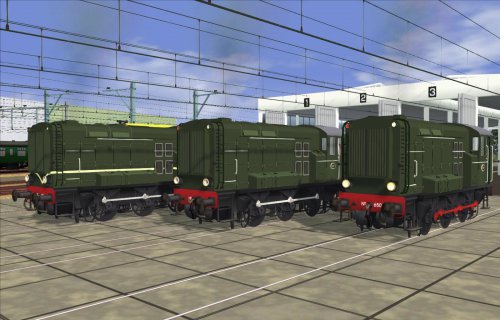
Version 1.3
872 downloads
The NS serie 500-600 by Wilbur Graphics consists of the following locomotives: WG NS 532 WG NS 542 WG NS 636 WG NS 650 Features: 4 versions Manual in Dutch Installation: Install the included .rwp file with Utilities.exe "Steam\SteamApps\common\ RailWorks" start the game and "Clear Cache" Restart the game and have fun1 point -
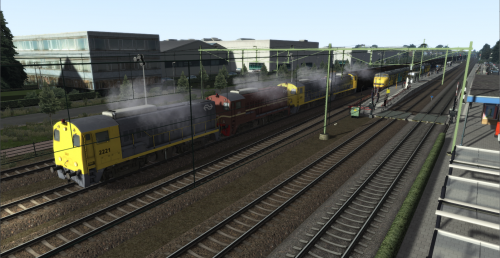
Version 1.2
154 downloads
With this scenario we go back to the 80's. The time when TEE's, D-trains, IC's and 'buurland'-trains were still running on the Arnhem-Emmerich route, pulled by an 1100, 1200 or 1300. But there were also several freight trains, coal trains and ore trains. Today you take a coal train from Arnhem to Emmerich, where you disconnect the wagons and return to Arnhem as a separate decoy train. Due to a defective 1300, there are 4 locomotives of the series 2200 in front of this train today. The train service has been set up as closely as possible according to the original timetable. Other trains are fictitiously inlaid. The train compositions are also partly fictitious. An attempt has been made to set up a realistic timetable, to bring back the feeling of the train service from that time. Have fun on this ride.1 point -
Lamezia-Soverato_47.54343-9.66949_18-00-01.thumb.jpg.81e498b6f38c10ca5956e18f3689467a.jpg) Thanks! Nice repaints! ?1 point
Thanks! Nice repaints! ?1 point -
Version 1.0.0
196 downloads
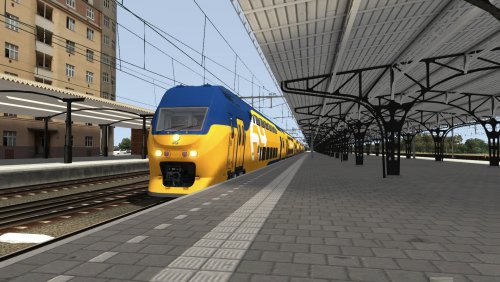
U mag vandaag met de vernieuwde virm vanaf Nijmegen tot aan Utrecht centraal rijden. Echter krijg je door de sprinter die net vertrokken is in Arnhem loop je wat vertraging op1 point -
Version 1.0.0
243 downloads
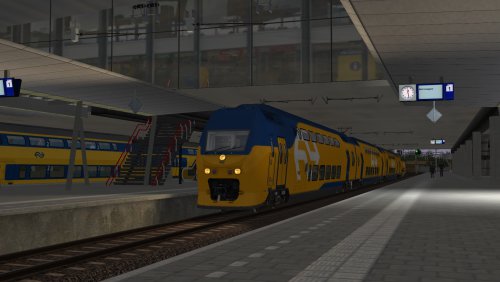
In this scenario you will be driving with the brand new VIRMm2 9528 from Utrecht Central station to 's Hertogenbosch.1 point -
Version 1.0
240 downloads
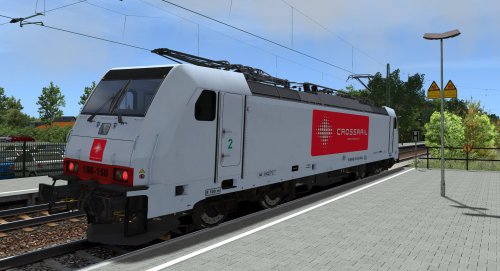
This is a repaint of the BR186 150-9 Crossrail (green & red versions) It consists of 2 versions. Features: Easy to install Manual in English, Dutch and Deutsch Installation: Unpack the .7z file with 7ZIP Install the included .rwp file with "Utilities.exe" "Clear Cache" or use Train Simulator Blueprint removal tool" Required addons: ChrisTrains Traxx 1861 point -
Heerlijke geluiden! Zeker als ik met 140 in het uur rond rijd geniet ik van de geluiden!1 point
-
Deze versie is volgens mij de beste soundmod voor de Traxx. Het remmen van de loc is geweldig om te horen en ook het piepen van de remmen van de ICRmh is ook erg realistisch en ook de typhoon is langer. Perfect gedaan!1 point
-
![More information about "[B92] Trein 7023 naar Almelo"](https://simtogether.com/uploads/monthly_2021_02/1463545493_Screenshot_Achterhoek-enTwentelijnenv2.0_52.20928-5.96958_08-17-33.thumb.jpg.2d87b2cfa53a36bf30f6f6e5b4cd47ea.jpg)
Version 1.0.0
222 downloads
Thank you for downloading my scenario, you will drive train 7023 from Apeldoorn to Almelo.1 point -
Version 1.0.0
427 downloads
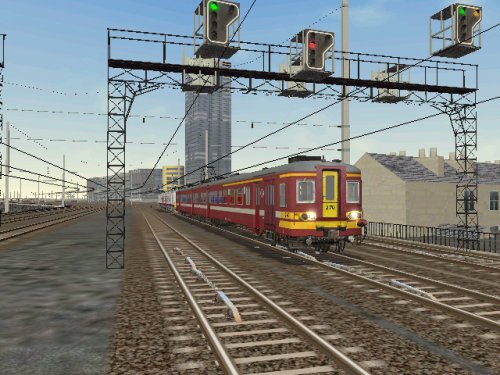
This package contains several trainsets for Microsoft Train Simulator / OpenRails: am86 v1.5 btsm nmbs sncb am 96 btsm sncb am08 eng file update am80 eng file update am86 nmbs-sncb am 66 groen nmbs-sncb amcr nmbs-sncb am86 v1,1 nmbs-sncb am86 v1,5 nmbs-sncb am86 v1,5 932 nmbs-sncb am 62-63-65v1 nmbs-sncb am62-62-65-bv1,1 nmbs-sncb am62-63-65-gv1,1 nmbs-sncb am74 groen nmbs-sncb am74 v1 nmbs-sncb am78v1 nmbs-sncb am 80-bordeauxv1,0 nmbs-sncb am80 newlook v1,0 nmbs-sncb_am80_bordeaux_aangepast nmbs-sncb_am75 Nmbs-sncb_am96v1,1 Nmbs-sncb_am96v1,1-oud1 point -
.thumb.jpg.88a5309d735412a782ceaf95a97484a0.jpg)
Version 1
203 downloads
Quick Drive scenario for 'Het Olielijntje' Version 1 Coevorden to Emmen Emmen to Coevorden Oil train Emmen to N.A.M. (Diesel)1 point -
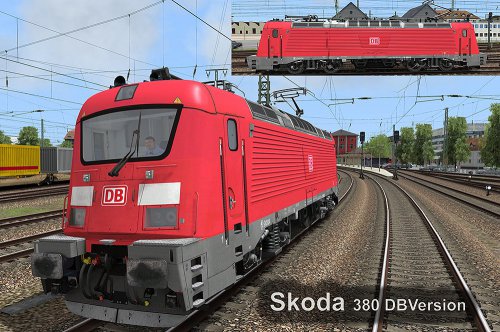
Version 1.3
730 downloads
This is a repaint of the Skoda 380 DB Version Features: Easy to install Manual in English & German Installation: Install the included .rwp file with "Utilities.exe" "Clear Cache" or use Train Simulator Blueprint removal tool" Required addons: Kal000px: Skoda Lok CS 3801 point -
![More information about "[Rail 21 - NS] IR 560 Emmen - Den Haag CS Deel 1"](https://simtogether.com/uploads/monthly_2020_07/254052251_Screenshot_tOlielijntje_52.66286-6.73596_16-29-06.thumb.jpg.c91955e312468403264629b7685fd209.jpg)
Version 1.0.0
288 downloads
Rail 21 Sporen naar een nieuwe eeuw. It is 2016. The government has reversed the privatization and privatization of the NS. There is again one national NV Nederlandse Spoorwegen under the direction of the Ministry of Transport, with the exception of freight transport. NS is still making some adjustments due to the current infrastructure; Rail 21 and the corresponding 3-train system. IC / EC, IR-Snelnet and AggloRegio. And takes a share in Thalys and Eurostar and, as yet, enters into the PBKA agreement with DB, SNCF and NMBS. In this scenario, on a warm summer day from the 2nd half-hour pattern, you will ride the IR Express train from Emmen to The Hague CS. This IR Express train runs via Zwolle, Amersfoort, Amsterdam CS, Schiphol and Leiden. On the way you only stop at the stations: Coevorderen, Hardenberg, Zwolle, Harderwijk, Amersfoort, Hilversum, Amsterdam CS, Schiphol, Nieuw Vennep, Leiden, The Hague Laan van NOI and The Hague CS. In the first part you will drive from Emmen to Coevorderen on 't-Olie lijntje route from Rommy.1 point -
![More information about "[Clipmeneernl] Sprinter naar Arnhem Centraal"](https://simtogether.com/uploads/monthly_2020_05/DM90.thumb.jpg.258b8e4b980fbb19b3cca6afdf1fd44e.jpg)
Version 1.0.0
420 downloads
Today you drive the DM90 from Doetinchem to Arnhem Centraal, good luck!1 point -
![More information about "[Clipmeneernl] Trein 7522 naar Ede-Wageningen"](https://simtogether.com/uploads/monthly_2020_04/20200427112100_1.thumb.jpg.be8cf7045eab9b01117bc09da431c0d0.jpg)
Version 1.0.0
229 downloads
Hello driver. Today you will drive the FLIRT3 with 4 cars from Arnhem Centraal to Ede-Wageningen, stop on every station! Good luck ?1 point -
![More information about "[MMBW] Testrit Sneltrein tussen Doetinchem en Arnhem Centraal"](https://simtogether.com/uploads/monthly_2020_01/1490339938_Screenshot_tOostenvanNederlandWinterswijk-Arnhem_51.95844-6.29324_12-43-32.thumb.jpg.7a7fc318f56c361859fbe904486a4590.jpg)
Version 1.0.0
293 downloads
In dit scenario rijd je de eerste testrit voor de nieuwe Sneltrein die gaat rijden tussen Doetinchem en Arnhem Centraal. Door deze Sneltrein is de reistijd tussen Doetinchem en Arnhem een ruim kwartier verkort. Meer info staat in de handleiding. Veel succes en plezier .1 point -
![More information about "[Dsander] Amersfoort Vathorst - Baarn SLT-6 2608"](https://simtogether.com/uploads/monthly_2019_12/20191213184749_1.thumb.jpg.fee034fb195554709811ff478727e15f.jpg)
Version 1.0.0
264 downloads
Hoi en leuk dat je dit scenario hebt gedownload! Je rijd met een SLT-6 2608 van Avat (Amersfoort Vathorst, naar Brn (Baarn). Veel succes! P.S. Vergeet de koersborden niet ? Suc81 point -
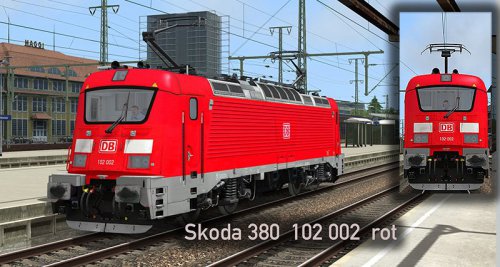
Version 1.3
589 downloads
This is a repaint of the Skoda 380 BR 102 002 ROT Features: Easy to install Manual in English & German Installation: Install the included .rwp file with "Utilities.exe" "Clear Cache" or use Train Simulator Blueprint removal tool" Required addons: Kal000px: Skoda Lok CS 3801 point -
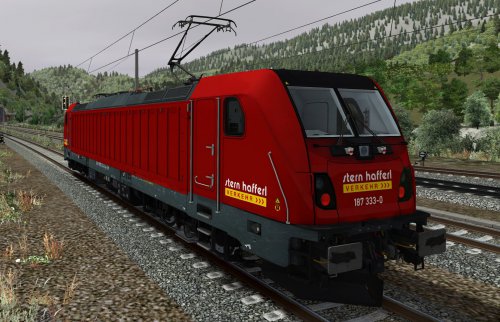
Version 1.0
68 downloads
This is a repaint of the BR 187 333-0 Stern & Hafferl Verkehrsgesellschaft. Features: Easy to install Manual in German Installation: Install the included .rwp file with "Utilities.exe" "Clear Cache" or use Train Simulator Blueprint removal tool" Required addons: RSSLO: BR187 Add-On1 point -
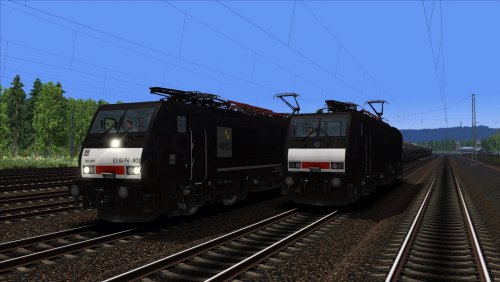
Version 1.0
270 downloads
This package contains the following: - 189 090-4 CNL - 189 092-0 CNL - 189 095-3 CT - 189 105-0 "beyond borders full service leasing in Europe" - 189 115-9 "ETCS" - 189 802-2 MRCE - 189 803-0 MRCE - 189 935-0 PCT - 189 985-5 ISC - 189 987-1 ISC Features: Easy to install Manual in English & German Installation: Install the included .rwp file with "Utilities.exe" "Clear Cache" or use Train Simulator Blueprint removal tool" Required addons: VirtualRailroads: DB BR189 VRot ExpertLine1 point














.thumb.png.4fd0d382f8f841f0eeefe6f556f2b03a.png)